Even in the era of blocks, custom code still has a place in the WordPress admin. For example, we might embed a third-party widget or paste a snippet to share in a tutorial.
WordPress already includes Custom HTML and Code blocks for these purposes. However, their lack of syntax highlighting makes the code harder to read. Thankfully, there are several options for fixing this issue.
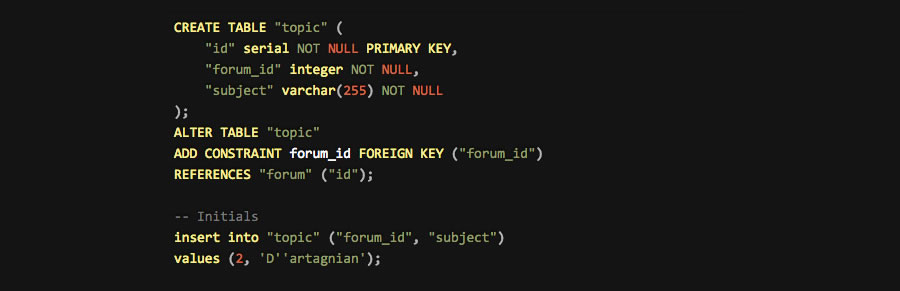
Syntax highlighting plugins help by color-coding and formatting your code snippets. Suddenly, you can tell your PHP from your HTML and JavaScript. It looks similar to what you’d find in popular editing apps like VS Code.
Want to dress up your code on the front and back end of your site? Here are the best syntax highlighter plugins on the market!
custom block to the WordPress editor. Add the block, choose your language, and you’ll get an easy-to-read snippet for your readers.
A settings panel lets you adjust the color scheme and typography. It also works with the Classic Editor, adding <pre></pre> tags to surround your snippets.

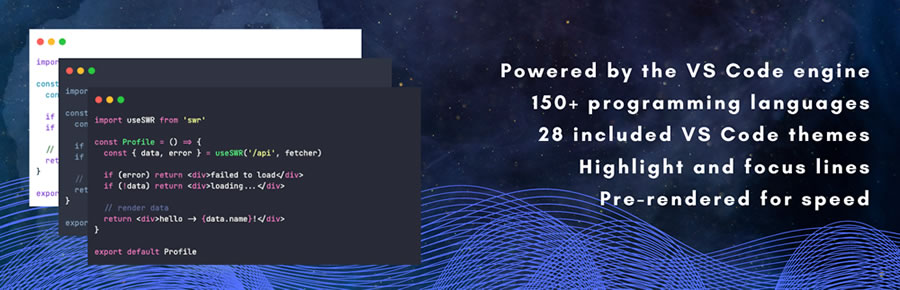
If you like the look of the VS Code editor, this is the plugin for you. It uses the same rendering engine as the popular app, while focusing on flexibility and performance.
There are 25+ themes to choose from and support for 150+ programming languages. Other niceties include a max-height block setting (you can scroll to reveal additional code), a copy button, and the ability to convert existing Code blocks.
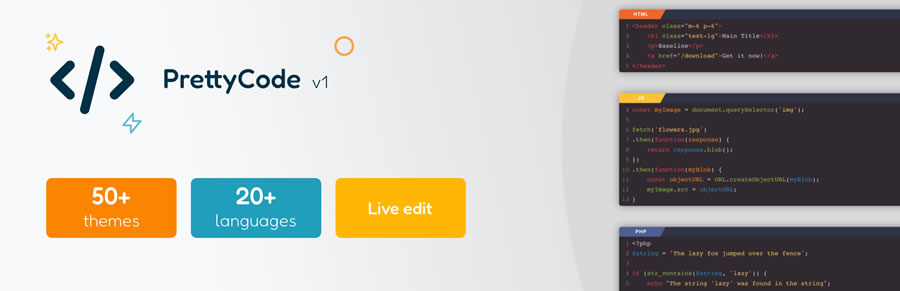
PrettyCode claims to be the “prettiest syntax highlighting block” for WordPress. It fulfills that promise by offering over 50 themes and a slick title display for its custom block.
The plugin uses the popular CodeMirror library to dress up even the most mundane snippets. And there’s a look to match just about every site.
This syntax highlighter plugin offers plenty of formatting options, from plain to vibrant. It also supports more than 90 languages, making it a good choice for a variety of tutorial types.
Powered by Prism.js, you’ll find options to enable line numbers, a copy button, and a command line interface (CLI). The plugin also enables highlighting in WordPress post excerpts.
Syntax Highlighter Plugins at a Glance
| Plugin | Description | Primary Use |
|---|---|---|
| Enlighter | Works with Classic and Block editors, supports multiple languages, includes shortcode and block support, plus a theme customizer. | Flexible multi-language syntax highlighting. |
| Syntax-Highlighting Code Block | Adds server-side syntax highlighting to the existing WordPress Code block without loading external scripts. | Performance-focused code highlighting. |
| Highlighting Code Block | Adds a custom block for selecting languages, with adjustable color schemes and Classic Editor compatibility. | Custom block-based highlighting. |
| Code Block Pro | Uses the VS Code rendering engine, supports 150+ languages, 25+ themes, copy button, and scrollable code blocks. | Advanced VS Code-style highlighting. |
| PrettyCode | Uses CodeMirror with 50+ themes, custom block support, and styled title display for snippets. | Theme-rich syntax highlighting. |
| Prismatic | Powered by Prism.js with 90+ language support, line numbers, copy button, CLI formatting, and excerpt highlighting. | Prism.js-powered code styling. |
Make Your Code Snippets Beautiful and Accessible
Using a syntax highlighter to share code snippets adds both form and function. Not only will your code look better, but it will also be more accessible for your audience.
Code is often difficult to read, but it can be improved with smart use of color and typography. The plugins on this list are there to help. They provide a wide range of looks and features. Plus, they can evolve along with your site’s design.
Don’t settle for the default styles of the WordPress Code block! Not when any of the above plugins will improve your code presentation in just a few clicks.
More Essential Free WordPress Plugins
here. He recently started a writing service for WordPress products: WP Product Writeup. He also has an opinion on just about every subject. You can follow his rants on Bluesky @karks.com.
Read more articles by Eric Karkovack