WordPress is known for its flexibility. The ability to build custom blocks keeps with that tradition. There are so many potential use cases. It feels like the sky is the limit.
However, building a custom block hasn’t always been easy. Even seasoned WordPress developers can struggle to learn the process. Blocks are based on React, rather than PHP. As such, there’s a serious learning curve. That has left many to look at alternative methods or use third-party block suites.
There’s a new tool looking to change the narrative. Telex is Automattic’s AI-powered block builder. Tell the app what you want, and Telex goes to work. It generates code and, once you’re satisfied with the result, creates a custom plugin to install on your website.
Telex is ripe for experimentation. Let’s take it for a spin and see what it can do.

For Black Friday, if you sign up for a WordPress.com Business Plan, you will not only get a 10% discount, but also a free professionally designed website worth $499, which includes setup on the platform with a custom theme and five core pages.
Get the WordPress.com Hosting Deal
Getting Started With Telex
Contents
First things first, you’ll need a free WordPress.com account to use Telex and save your projects. Click the Login button on the upper right of the screen to get started.
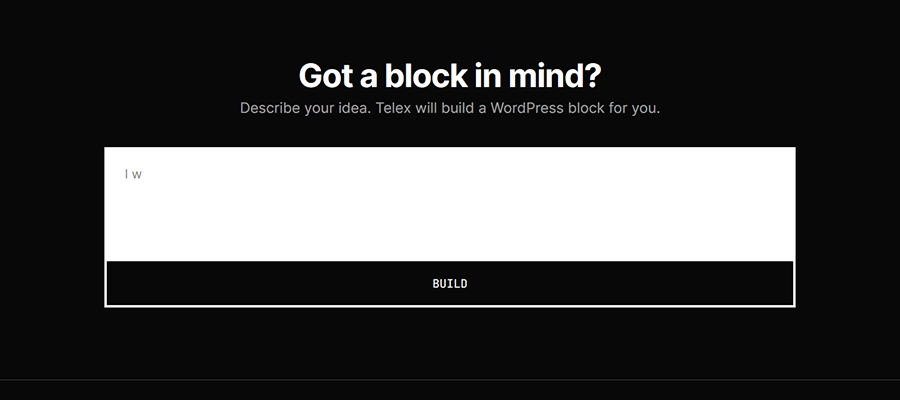
Once that’s taken care of, it’s time to tell Telex about your project. The interface should be familiar to anyone who has used ChatGPT, Gemini, or other popular AI models.
Enter your idea into the text field, and the tool takes care of the rest. It generates your custom block’s code and even lets you test it in a real WordPress installation (thanks to WordPress Playground).
Doesn’t that sound otherworldly? Follow along as we create a demo block.
Creating a Custom Timeline Block
From the looks of things, there’s no idea that’s too far-flung for Telex. There is a plethora of creative examples popping up on the web.
For our purposes, we’ll try to keep things practical. We’ll create a Timeline block that allows us to highlight important dates with style.
Here’s the prompt we used:
Create a Timeline block that allows me to highlight important dates in a vertical format. It should have fields for the following:

1. Year
2. Content

The design should feature the Year on the left and the Content on the right. A vertical line should be displayed between the Year and the Content. The Year should be bold text and stand out.
Hint: Telex has an “Enhance Prompt” feature that will that will rewrite your prompt using AI. Give it a try if you’re having trouble describing what you want. We tried the feature, and it added a few elements we hadn’t thought of, including responsive styling.
Click the Build button once you’re satisfied with your prompt.
Generating & Testing Our Custom Block
Telex will start building your block in plain view. The UI shows your prompt at the top of the screen, while the app’s internal dialog scrolls by below.
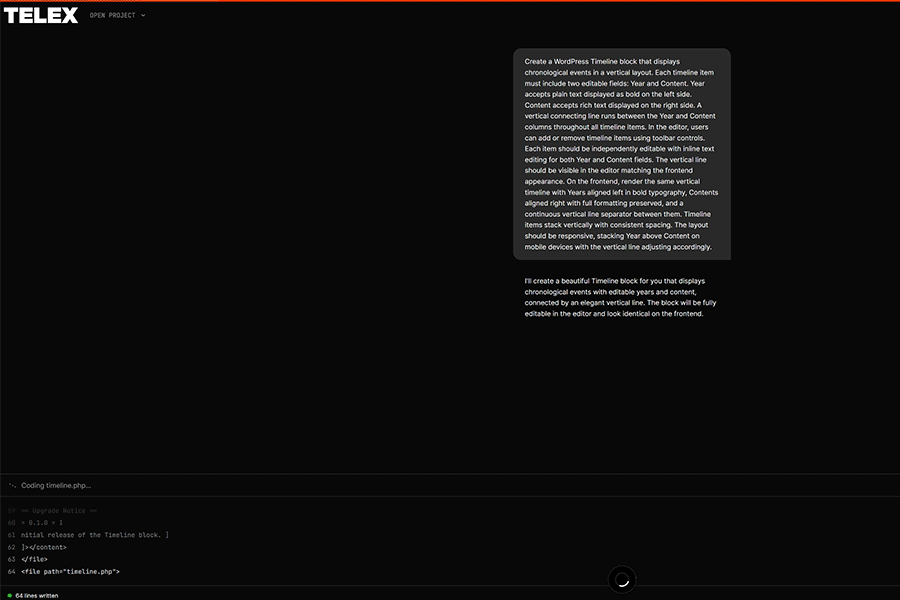
In our case, the process took about two minutes to complete. Once finished, we were redirected to a WordPress install and placed into the Block Editor.
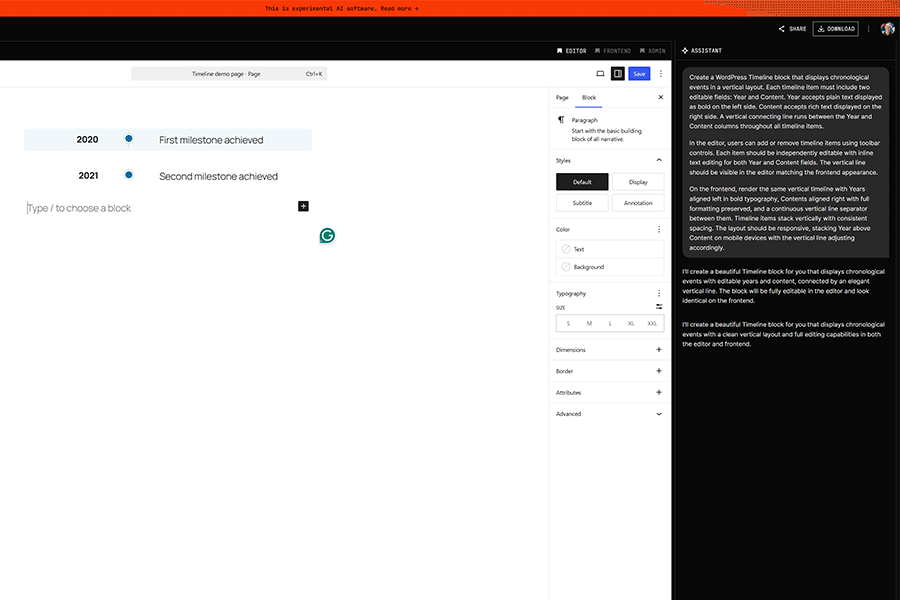
This is where the fun begins! Telex provides an opportunity to test our new block and see how it works. We can use the chat panel on the right side of the screen to ask questions or make edits.
Judging the Initial Result
At first glance, our Timeline block looks similar to what we envisioned. Telex followed our instructions with the help of its AI enhancement feature. It also added a few details we didn’t think of, such as the ability to style the block’s colors and spacing.
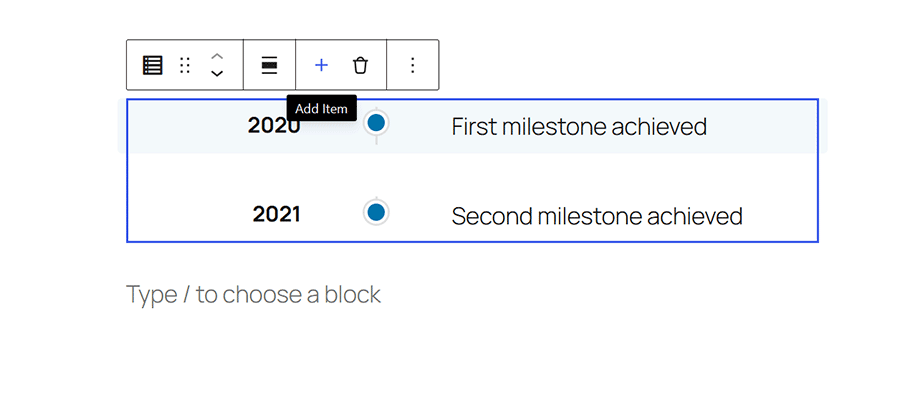
There’s even a handy plus (+) icon for adding additional milestones to our block. As promised, the block is also responsive. The Year and Content blocks are stacked on small screens for easier reading.
It’s a strong start. However, we think there’s room for improvement. Can Telex help?
Improving Our Timeline Block
Perhaps the biggest thing missing from our block is the ability to customize the typography. We’d love to change the font sizing and spacing. Let’s ask Telex for some help:
Can you add font size and spacing settings to the Year and Content fields?Telex receives our prompt and immediately begins revising the block. Once finished, the Block Editor is refreshed, and it’s time to inspect the changes.
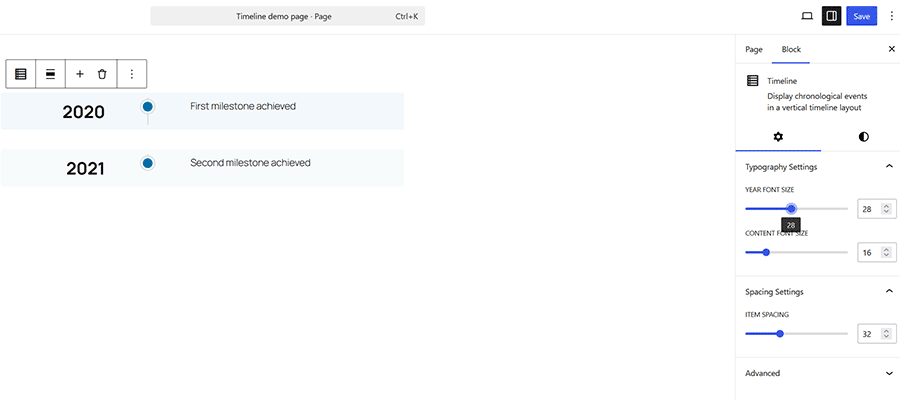
Sure enough, our block now features typography settings for the Year and Content fields. Nice!
We’re one step closer to completion. However, there are a few other small tweaks we’d like to make:
I notice the line between entries isn't connected. Can we change that?

Also, I'd love the ability to horizontally align each entry to the Top, Middle, or Bottom.
Telex got both requests correct, to a point. We can now align our milestones horizontally. However, the connecting line has now moved to the left side, which is not what we wanted. Recall that the line had been in the middle.
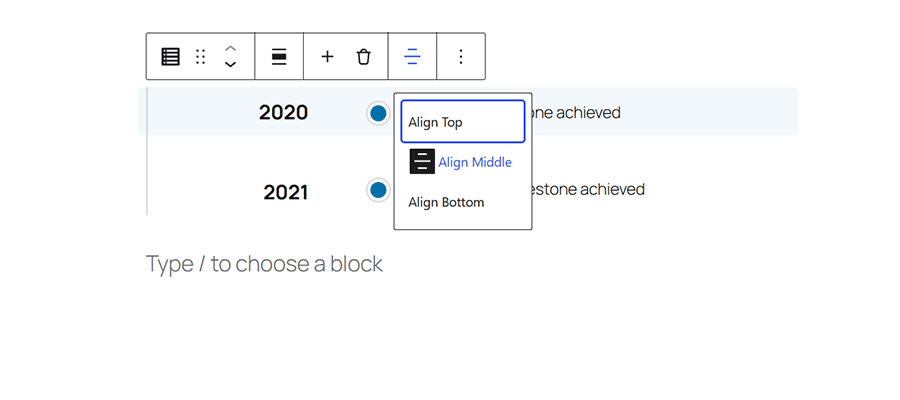
Can you move the connecting line back to the middle? It should be connected to the icon between the Year and Content fields.It took a few tries and a recovery from a PHP crash inside WordPress Playground. Telex eventually moved the line to the middle and adjusted the styling so the milestones are connected on the front end (there was still a bit of space in the editor).

Things are looking good, so we’ll click the Download button on the upper right of the screen. Telex provides a ZIP file containing a plugin for our custom block.
Now, we can install the plugin on any WordPress website!
Making Custom Blocks a Prompt Away
Our experience with Telex was a pleasant one. Within 30 minutes, we had a working prototype of our custom Timeline block. Even the most talented of React developers would have difficulty matching that pace.
Sure, there were a few glitches along the way. That’s to be expected from any AI tool. However, Telex produced the result we were hoping for.
What about security? We ran the plugin through Plugin Check, which gave us a thumbs-up. We recommend using the tool for every custom block you generate. Also, review the code manually. Don’t take security for granted.
Telex is still in its “experimental” phase as of this writing. However, it’s safe to say that the future looks very bright.
<!–
Our WordPress.com Review Migrate to WordPress.com
–>
Related Topics
here. He recently started a writing service for WordPress products: WP Product Writeup. He also has an opinion on just about every subject. You can follow his rants on Bluesky @karks.com.
Read more articles by Eric Karkovack